








Building a store23 October 20268 min read
Shopify discount code or automatic discount: which fits, and why a code does not apply

“The customer says the code does not work.” It is one of the most common messages in day-to-day store work, and the cause is rarely where you look first. Usually a setting is behind it: a combination that is not allowed, a minimum purchase that counts differently than expected, or a discount that does not apply to these products at all. This article shows what the Shopify Help Center says about discount codes and automatic discounts, and it is written for merchants without a technical background.
A note on scope
Everything here comes from the Shopify Help Center, as of October 2026. Menus, plans and limits change, so check your admin. I do not name prices for apps or development. How to advertise discounts and crossed-out prices correctly under the law, for example under price indication rules, is a question for your lawyer. This is only about the technology.
Two methods, three types
The help separates two things that often get mixed up:
- Method: how the customer gets the discount. Either they enter a discount code at checkout, or an automatic discount applies in the cart and at checkout once the conditions are met.
- Type: what the discount does. The help lists amount or percentage off (on products or on the order), “Buy X get Y” and free shipping.
The method applies to all types. A percentage discount exists as a code and as an automatic discount, and so does free shipping.
Code or automatic: what the help says
For automatic discounts the help names typical uses such as store-wide promotions, specific collections and larger quantities. They can simplify checkout and raise conversion and order value. The catch, according to the help: customers may not notice they are getting a discount, and they may end up with a bigger discount than intended.
Discount codes are, according to the help, the most common method, for example for email campaigns or partnerships. They can create interest, a sense of exclusivity and urgency. The catch: forgotten codes can lead to cart abandonment.
As a rule of thumb from the help: a promotion for everyone, such as free shipping on a holiday, suits an automatic discount. A promotion for a specific group, such as an email list, suits a code. What works better with your customers, the help does not say; only your own numbers show that.
What you can set on a code
When creating a discount code you can set, according to the help, among other things:
- the period in which the code is valid
- how often it can be used in total, and whether it applies once per customer (the help says the customer’s email address or phone number is tracked for that)
- a minimum purchase amount or quantity
- which products, collections or variants it applies to
- which customers, customer segments or markets may use it
- whether it can be combined with other discount classes
Times follow the time zone you set in the admin. If you set an end date, the discount ends at the chosen time in that time zone.
Limits worth knowing
From the help on codes and automatic discounts:
- A code can apply to up to 100 specific customers, products and variants. Beyond that an error message appears.
- There is a cap of 20 million unique codes per store.
- At most 25 active automatic discounts are possible, app discounts included.
- The discount type cannot be changed after creation. Everything else you can edit. If the type should be different, create the discount again.
- A code name should contain no special characters, so that it is carried into the checkout URL correctly.
- Special case shipping: amount and percentage discounts do not apply to shipping costs, according to the help. For that there is the separate free shipping type, optionally excluding very expensive shipping rates.
- After the purchase: discounts created in the admin do not apply to the post-purchase page at checkout.
- Crossed-out prices: discounts take effect in the cart and at checkout. For crossed-out prices on product and collection pages the help names compare-at prices, a discount app or a custom solution.
How the minimum purchase is counted
This is where many misunderstandings arise. The help says about the minimum purchase:
- It counts product prices. Shipping costs and taxes are never included.
- For a discount on specific products or collections, only those products count.
- Purchased gift cards do not count for amount-off product discounts unless you select the gift card explicitly. For free shipping they do count.
- For an order discount, two totals have to reach the minimum: the sum before product discounts (without purchased gift cards) and the subtotal after product discounts.
- For free shipping and “Buy X get Y”: if a combinable discount has already reduced a product’s price, the reduced price counts toward the minimum for the free shipping rule, while for “Buy X get Y” a product that is already discounted does not count at all.
- Gift cards and credit used as payment do not change the minimum, because they are applied to the total only after the discounts.
When a customer reports that their cart is above the minimum and the code still does not work, these points are worth a look.
Combining: the short version
The help describes how discounts work together in detail, and I only summarise the key points here. The details on order and free items are also in Free items in the Shopify cart.
- Every discount belongs to a class: product, order or shipping. Discounts combine only if the setting of every discount involved allows it.
- All merchants can combine order discounts with free shipping, product discounts with free shipping and product discounts on different items.
- Product discounts with order discounts, and order discounts with each other, are only available to eligible merchants, according to the help. A requirement is, among others, that the shop does not use customisations or features from
checkout.liquid(more in Customizing the Shopify checkout). - Several product discounts on the same line need Shopify Plus.
- The order: product discounts first, then order discounts on the new subtotal, shipping discounts last.
- Two percentage order discounts are each calculated on the original subtotal. The help gives 10% and 20% as an example, which makes 30% together and not 28%.
- Up to five product or order codes and one shipping code are possible per order.
- If discounts cannot be combined, the best one for the customer is applied.
- Combining works in the online store, through the Storefront API and in Shopify POS, not on external checkouts such as Facebook, Instagram or Google.
Why does the code not apply? The messages at a glance
The help names these messages at checkout and their causes:
- “Enter a valid discount code”: the code does not exist or is not active. A deactivated code also leads to the message that no valid discount was found for the entered code.
- The code does not apply to the items in the cart: the code exists but does not match the products in the cart.
- Several codes that cannot be combined: checkout applies the best combination and points that out.
- “The code has already been used” although no order exists: according to the help a code is held against its usage limit when the order is submitted, until the payment completes or fails. A declined payment releases the code again. If a checkout stays unfinished, the code can remain stuck. Deleting and reactivating or renaming it does not reset the usage history. As a solution the help names checking the orders and, if needed, creating a new code with the same conditions.
- The discount code field is missing: at least one active code must exist. For a checkout coming from a draft order the field is not available by default. With Shop Pay the customer has to log in first. And an app that changes prices or checkout behaviour can hide the field as well.
Also: a discount created only for certain customer segments applies, according to the help, only to existing customers. Someone ordering for the first time has no customer profile yet and only joins the segment after the first order.
What the help does not answer here
The help pages say nothing about how high a discount should be, whether codes or automatic discounts bring more orders with your customers or which promotion suits your range. They also say nothing about how discounts and crossed-out prices must be stated correctly under the law. Clarify that with your lawyer; background on legal texts is in Store policies and legal texts. And what the implementation costs depends on the scope.
Examples from practice
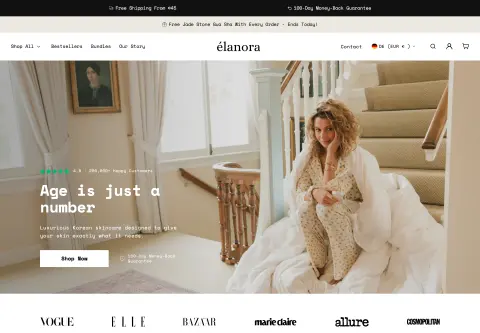
For Elanora Skin, a skincare brand selling in 15 markets in two languages, I built an offer logic as part of ongoing support that follows market and language, including free gifts in the cart with a crossed-out price. Part of the checkout work was making sure the discount labels display correctly in both languages. Whether something like that suits your shop depends on plan, range and markets.
Before you start: a checklist
- Should the promotion apply to everyone (automatic) or to a group (code)?
- Which type fits: amount or percentage, “Buy X get Y” or free shipping? The type cannot be changed later.
- Which products, collections or variants should the discount apply to, and how does the minimum purchase count there?
- Should the discount combine with others, and does the shop meet the requirements (for example no
checkout.liquid)? - Is the timing right, with the time zone in the admin in mind?
- Are usage limits set (in total and per customer)?
- Checked with a test order, including two codes at once and in a phone browser?
- Do you sell in several countries: are labels and texts checked in every language? (See Shopify Markets.)
When a developer helps
A simple code or automatic discount you create yourself in the admin. Help is worthwhile when you need tiered discounts, custom eligibility rules or a gift that lands in the cart automatically, when crossed-out prices should appear on product pages, when codes should be rejected with a specific message (the help points to a Discount Function for that) or when the shop first has to move off checkout.liquid. How customisations stay clean and maintainable is in Customizing a Shopify theme. After that the setup belongs in the ongoing upkeep, see Shopify maintenance.
Frequently asked questions
Which is better, discount code or automatic discount? That depends on the goal. According to the help the automatic discount suits promotions for everyone, the code suits targeted promotions such as email campaigns. Which variant works better with your customers, the help does not say.
Can a customer use several discount codes? Yes, if the settings of all discounts involved allow it. Up to five product or order codes and one shipping code are possible. Otherwise checkout applies the best combination.
Why does my code show as “already used”? According to the help an unfinished checkout can hold the code. Check the orders and, if needed, create a new code with the same conditions.
Can I show the discount crossed out on the product page? Not with the standard discounts. For that the help names compare-at prices, a discount app or a custom solution.
What does the setup cost? That depends on the scope. I do not name amounts here.
What about your store?
Send me your store’s address for the free store check. I look at what is visible from the outside, such as load time, apps in the source code and how pages are built, and tell you what stands out. I only work with publicly visible data, without access to your account. What else I do for stores is under Services.
Further reading: Free items in the Shopify cart · Customizing the Shopify checkout · Setting up Shopify subscriptions · Setting up Shopify gift cards
Kiril Karatitsyn, Shopify developer in Germany