






Building a store23 October 20267 min read
Customizing the Shopify checkout: what works without Plus, what apps do and where code is needed

“Can I change my checkout?” The honest answer is: yes, but not everything and not on every plan. The checkout is the part of the shop that Shopify itself is most responsible for, so it follows its own rules. This article shows what the Shopify Help Center says about it, where the plan limits are and what can only be solved with code, without assuming a technical background.
A note on scope
Everything here comes from the Shopify Help Center and the developer documentation (shopify.dev), as of October 2026. Menus, plans and deadlines change, so check your admin. I do not name prices for apps or development. Which details and notices at checkout are legally required, for example for the order button or mandatory information, is not a question for this article. Clarify that with your legal adviser. This is only about the technology.
The checkout editor: your control centre
You do not customise the checkout in the theme editor but in a place of its own: Settings > Checkout, then Edit next to the configuration in the Configurations section. The help calls it the “checkout and accounts editor”. According to the help it covers these pages:
- Checkout (with one-page checkout) or Information, Shipping and Payment (with three-page checkout)
- Review, the optional confirmation page, only if the matching setting is on
- Thank you and Order status
- Customer account pages: Orders, Profile, Sign-in
Important to know: according to the help the editor works in a simulated environment. You cannot place orders there, and actions such as “Pay Now” are deactivated. Whether a flow works with a real order you only see in the shop itself.
What works without Plus
The help distinguishes between standard customisations, available from the Basic plan, and advanced features that are only part of Shopify Plus. For the style of the checkout the help names, among others:
- Adding a logo, with width and alignment left, centre or right
- Colours for header, main area, order summary, accents and buttons, plus your own colour palette
- A font from a list
- An order summary with a background colour or image
The help itself advises restraint: the checkout is where customers enter shipping and payment details, so the design should stay simple, with high-contrast colours, so nothing distracts or becomes hard to read.
A change since February 2026: according to the help you can no longer add a background image to the header and the main area of the checkout since 5 February 2026. An image that is already set can no longer be changed, only removed, and cannot be added again afterwards. An older guide that uses a checkout background image can therefore no longer be followed one to one.
What only works with Plus
The plan limits deserve a closer look, because most misunderstandings arise here. According to the help:
- The checkout editor itself is available from the Basic plan.
- Apps for the Thank you and Order status pages are available from Basic, as far as they are listed as eligible.
- Apps for the Information, Shipping and Payment pages are available only with Shopify Plus.
- The Checkout Branding API for advanced design by code can be used only with Plus.
- Custom apps built with Shopify Functions are possible only with Plus. Public apps with Functions are also available from Basic.
- Checkout Blocks, a free Shopify app for customisations with UI extensions and Functions, is available from Basic with limited features, and on Plus without those limits.
- Checkout customisation for individual markets (for example a notice for one market only) is available according to the help only on the Advanced or Plus plan.
In practice: without Plus you can make the checkout visibly match your brand and extend the thank-you page and customer accounts with apps. Intervening in the actual checkout steps, that is address, shipping and payment, is reserved for Plus, apart from the limited scope of Checkout Blocks.
One page or three
According to the help the one-page checkout is the default: contact details, shipping and payment appear on one page. You can choose the three-page checkout again in the editor’s settings. According to the help both collect the same information, and your customisations keep working when you switch. The help names two possible effects: the header looks different, so a background image may display incorrectly and would have to be replaced with a colour. And new customisable wording appears, which you should check after a switch if you have changed texts or translations.
The help also mentions address suggestions in the checkout: they come from a service such as Google Autocomplete and are, according to the help, also available for customers in Germany, Austria and Switzerland. Where they do not apply, customers can always enter the address by hand.
Apps and blocks in the checkout
Features such as an upsell in the order summary reach the checkout through apps, according to the help. The process has two steps: you install the app from the Shopify App Store and then add it in the editor as a block where you want it, through the Sections or Apps sidebar. Some blocks can only be placed in certain areas, and per highlighted area the help names an upper limit of three apps.
If you are looking for an app, you can filter the App Store for apps that customise the checkout. Which app fits your case and what it does, the help does not say; that depends on the provider.
checkout.liquid: the old method has been replaced
If you still know checkout.liquid or “Additional scripts” from earlier: according to shopify.dev, checkout.liquid is no longer supported for the Information, Shipping and Payment steps. For the Thank you and Order status pages checkout.liquid and additional scripts were sunset on 28 August 2025. Script tags were sunset there on 28 August 2025 for Plus shops and, according to the page, on 26 August 2026 for shops without Plus; that date has now passed. Shops that still use checkout.liquid there have to move to Shopify Extensions in Checkout, according to the documentation.
For the move, shopify.dev recommends using a public app built with extensions, building a custom app or hiring a service partner. Where possible, the upgrades for checkout, thank-you page and order status page should be planned together, so you do not have to maintain two technology stacks side by side.
Drafts and tests before going live
Helpful for everyone who wants to try changes: the checkout can be saved in several configurations. According to the help, shops on Plus can create up to 99 drafts, shops on Basic, Grow and Advanced up to 20. There is only ever one active configuration with real customer traffic. When you publish a draft, it replaces the active configuration, and the previous one becomes a draft. Before bigger style changes the help advises duplicating the configuration to keep a backup. It also explicitly recommends testing drafts before sale periods such as Black Friday.
What the help does not answer here
The help pages say nothing about which customisation raises your completion rate, which checkout app is the right one for your shop or how a change affects load time and abandoned payments. They also say nothing about which notices and mandatory information at checkout are legally required. Clarify that with your legal adviser (see also store policies and legal texts). And what the implementation costs depends on the scope.
Examples from practice
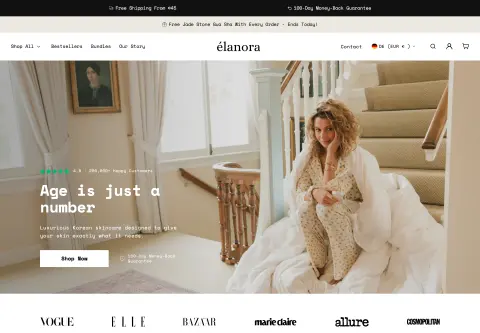
For Elanora Skin, a skincare brand selling in 15 markets in two languages, I added checkout blocks as part of the ongoing support, including a removable insurance extension and a review block. That includes making sure the discount labels display correctly in both languages. Whether something like this suits your shop depends on your plan, range and markets.
Before you start: a checklist
- Which plan are you on, and which of the changes you want are possible on it at all?
- What should change: only the look (logo, colours, font) or also the function (upsell, extra fields, notices)?
- Should it be the one-page or the three-page checkout, and have you checked the effects on header and texts?
- Is there a public app that does the job, or do you need a solution of your own?
- Do you still use checkout.liquid, additional scripts or script tags, above all on the thank-you and order status pages? Then the move is due.
- Change built in a draft first, with a copy of the active configuration as a backup?
- Checked with a real test order, because the editor only simulates? On desktop and phone?
- Selling in several countries: texts and labels checked in every language? (See Shopify Markets.)
When a developer helps
Logo, colours and font you change yourself in the editor. Help is worthwhile when a feature is missing that no ready-made app provides, when you have to move away from checkout.liquid, when custom logic for discounts or shipping is needed or when checkout, cart and offers should fit together, as with free items in the cart. How customisations stay clean and maintainable is in Customizing a Shopify theme. After that the checkout belongs in the ongoing upkeep, see Shopify maintenance.
Frequently asked questions
Can I customise the checkout without Plus? Yes, within limits. According to the help, logo, colours, font and apps for the thank-you and order status pages are possible from Basic. Apps for the checkout steps Information, Shipping and Payment are available only with Plus.
Can I set a background image in the checkout? Not any more, according to the help: since 5 February 2026 no new background image can be added to the header and the main area. For the order summary the help still names a background image or colour.
Does my old checkout.liquid still work? For Information, Shipping and Payment it is no longer supported, according to shopify.dev. For the thank-you and order status pages it was sunset on 28 August 2025.
Can I test changes without touching the live checkout? Yes, through draft configurations. The editor cannot replace a real order, though, because it only simulates.
What does the customisation cost? That depends on the scope. I do not name amounts here.
What about your store?
Send me your store’s address for the free store check. I look at what is visible from the outside, such as load time, apps in the source code and how pages are built, and tell you what stands out. I only work with publicly visible data, without access to your account. What else I do for stores is under Services.
Further reading: Shopify payment methods in Germany · Setting up shipping in Shopify · Creating Shopify bundles · Setting up Shopify subscriptions · Discount code or automatic discount in Shopify · Setting up pre-orders in Shopify · Shopify try before you buy
Kiril Karatitsyn, Shopify developer in Germany