






Building a store23 October 20267 min read
Creating Shopify bundles: bundle types, limits of the free app and what to watch for
“I want to sell two products as a set, with a small price advantage.” That sounds simple, and often it is. But there are three different kinds of bundles, a free Shopify app with clear limits and a few stumbling blocks around inventory, shipping and subscriptions. This article shows what the Shopify Help Center says about it, without assuming a technical background.
A note on scope
Everything here comes from the Shopify Help Center, as of October 2026. Menus and features change, so check your admin. I do not name prices for apps or development. How a bundle price or a crossed-out comparison price must be stated correctly under the law, for example under price indication rules, is not a question for this article. Clarify that with your legal adviser. This is only about the technology.
What a bundle is
According to the help, a bundle is a set of two or more related products, often at a discount. You can sell it in the Online Store, the Shop channel and Shopify POS, and on the Google & YouTube channel only as a fixed bundle. As possible benefits the help names, among others, a higher average order value, curated selections, passing discounts on to customers and clearing old inventory.
Requirement: a bundles app must be installed. Without an app there is no bundle.
Three kinds of bundles
The help distinguishes:
- Fixed: a predetermined set of products and variants. If products have several variants, customers choose among them.
- Multipack: more than one of the same product.
- Mix-and-match: interchangeable products. Customers put the bundle together themselves from a selection.
Fixed bundles and multipacks work, according to the help, with the free Shopify Bundles app on all plans. For mix-and-match the help names two ways: bundle apps from third-party providers in the App Store or, on Plus only, a custom bundle offering through the Bundles APIs. The Shopify Bundles app explicitly does not support mix-and-match, according to the help.
The free Shopify Bundles app: limits
According to the help these limits apply:
- Components: fixed bundles up to 30, dynamic bundles up to 150 components, up to 2000 units per component.
- Options and variants: at most 3 options and 100 variants per bundle. Products with no or only one variant show no variant selector.
- Orders: orders list the SKUs of the individual items, not the SKU of the bundle. Weight is derived from the individual items.
- Filters: according to the help, bundles do not appear under the option filters of Search & Discovery.
- Inventory: stock is not tracked per location but overall.
- Prices: if the price of a single product changes, including through a price import, the bundle price does not change. You have to adjust it in the admin yourself.
Creating one in four steps
The single products have to exist first. After that, according to the help:
- In the admin open Apps > Bundles and choose Create bundle.
- Enter a title and select the products. Quantity and variants can be adjusted. For a multipack you duplicate the product.
- Options with the same name can be combined so customers pick, say, the size only once. The combined option counts as one of the three possible.
- Save and continue, add product details, check the sales channels and set the status to Active.
A new bundle first has the status Draft. It is published only when you set it to Active.
Requirements and incompatibilities
This is the part that surprises people most in practice. According to the help:
- Your shop must use an upgraded checkout. Shops with customisations or features from
checkout.liquidare not compatible with bundles. How that fits together is in Customizing the Shopify checkout. - Bundles are not compatible with purchase options such as subscriptions, pre-orders and try-before-you-buy, nor with the Shopify Subscriptions app.
- Bundles have their own SKU. If the SKU of a component changes, you have to delete and recreate the bundle. For detailed component tracking the help names metafields or third-party apps (more on metafields in Metafields and metaobjects).
- Bundles have no shipping profile of their own. Shipping costs follow the profiles of the products inside (see Setting up shipping).
- Bundles cannot contain other bundles and support neither import, export nor bulk editing.
- Bundles cannot be used in exchanges, even when exchanging for the same bundle.
- Draft orders may use an older checkout that does not support bundles.
If a shop later becomes ineligible, for example through checkout.liquid customisations, fixed bundles are set to draft and no longer published, according to the help.
Inventory, discounts, returns
Inventory: It comes from the single products. For each product Shopify divides the available stock by the quantity needed for the bundle, and the lowest number (rounded down) is the number of sellable bundles. The help’s example: 15 chairs at 2 per bundle give 7, 8 desks at 1 per bundle give 8, so 7 bundles are available. Products without inventory tracking, or set to “Continue selling when out of stock”, are left out of the calculation.
Discounts: Bundles support discount codes and automatic discounts. For product or collection discounts the parent bundle product must be selected; the components alone are not enough. The discount is calculated on the bundle and distributed to the components by weighted price, and tax is calculated on the individual components. How discounts combine is set by the combination rules in the admin. Where bundles and cart logic meet, free items in the cart helps too.
Returns: A bundle cannot be marked final sale in the return rules. Whether it can be returned depends on whether the single products count as final sale. Legal questions about withdrawal and returns belong with your legal adviser; background on policy pages is in Store policies and legal texts.
Reporting
According to the help the app shows key figures such as total bundle sales, number of bundle orders, top-selling and most-ordered bundles. More reports are in the admin under Analytics.
What the help does not answer here
The help pages say nothing about which products sell well as a bundle, how large the price advantage should be or whether bundles actually raise your basket value. They also say nothing about load time and display in the theme. That depends on your range and your audience.
Examples from practice
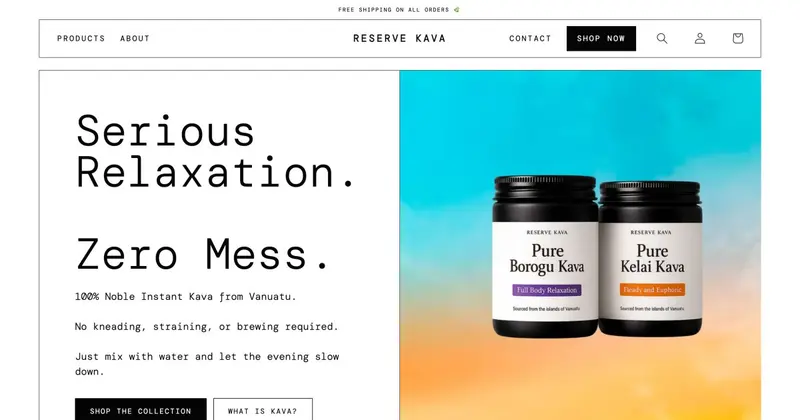
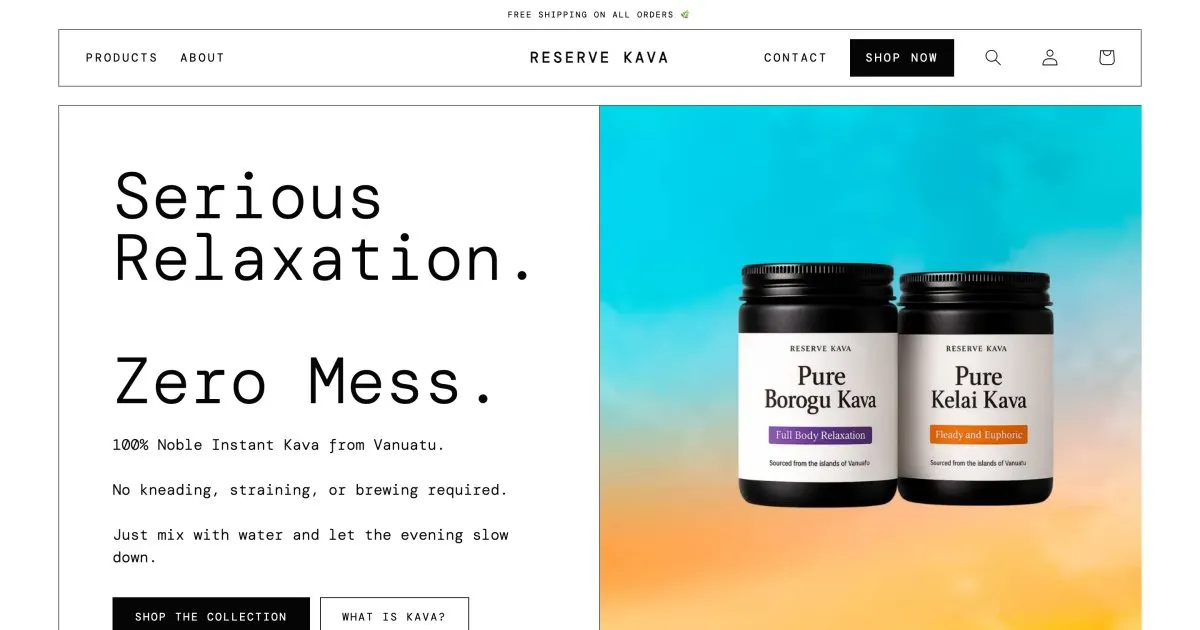
For Reserve Kava, an instant kava brand, I added a bundle that puts both cans into the cart while rebuilding the product pages. Alongside there are single and multiple cans with a subscription. This shows why the limits above matter before the build: according to the help, Shopify bundles cannot be combined with subscriptions, so it has to be clear beforehand which purchase options should come together on the product page. Which solution suits your shop depends on plan, range and the purchase options you want.
Before you start: a checklist
- Which kind of bundle do you need: fixed, multipack or mix-and-match?
- Is the free Shopify Bundles app enough, or do you need mix-and-match with a third-party app?
- Does your shop still use
checkout.liquid? Then bundles are not possible. - Should bundles be combined with subscriptions or pre-orders? According to the help that does not work.
- How is the bundle price maintained when a single price changes?
- Are the SKUs of the components stable? A change means a new bundle.
- Inventory tracking active on all components, so availability is right?
- Discount setup checked, the bundle product selected and tested with a test order?
When a developer helps
A fixed set or a multipack you create yourself in the app. Help is worthwhile when customers should build bundles freely, when the buy box has to show bundle, multipacks and subscription clearly, when the checkout first has to be moved off checkout.liquid or when bundle logic and discounts should fit together. How customisations stay clean and maintainable is in Customizing a Shopify theme. After that the setup belongs in the ongoing upkeep, see Shopify maintenance.
Frequently asked questions
Do I need an app for bundles? Yes. According to the help a bundles app has to be installed. For fixed bundles and multipacks there is the free Shopify Bundles app.
Are bundles available on the Basic plan? Yes, the Shopify Bundles app is available on all plans according to the help. Custom bundle offerings through the APIs are reserved for Plus, according to the help.
Can customers put their own bundle together? That is mix-and-match. The Shopify Bundles app cannot do it; third-party apps can.
Can I sell bundles with a subscription? Not according to the help: bundles are not compatible with purchase options such as subscriptions.
What does the setup cost? That depends on the scope. I do not name amounts here.
What about your store?
Send me your store’s address for the free store check. I look at what is visible from the outside, such as load time, apps in the source code and how pages are built, and tell you what stands out. I only work with publicly visible data, without access to your account. What else I do for stores is under Services.
Further reading: Customizing the Shopify checkout · Free items in the Shopify cart · Setting up Shopify subscriptions · Discount code or automatic discount in Shopify · Setting up pre-orders in Shopify · Managing inventory in Shopify · Setting up Shopify product variants · Shopify try before you buy
Kiril Karatitsyn, Shopify developer in Germany