








Building a store23 October 20268 min read
Shopify try before you buy: test first, pay later – requirements, limits and managing orders

“Customers hesitate over an expensive piece because they cannot try it on. Can I send it to them and charge them later?” Shopify calls this try before you buy, TBYB for short. It sounds like a simple purchase option, but it comes with a whole list of requirements, and some of them hit German stores directly, for example with payment methods. This article shows what the Shopify Help Center says, for merchants without a technical background.
A note on scope
Everything here comes from the Shopify Help Center, as of October 2026. Menus and restrictions change, so check your admin. I do not name prices for apps or development. Whether TBYB makes economic sense for your range, how you handle returns and how this fits with withdrawal rights and consumer law are questions for your planning and for a lawyer, not for the help. This article is only about the technology. Menu names are taken from the English interface.
What TBYB is
Shopify knows three purchase options beyond “buy, pay and ship now”: subscriptions, pre-orders and try before you buy. With TBYB, customers order without paying right away. You ship the order like a regular one, and customers pay at a set later date, after they have tried the product. According to the help you can also create a full authorization on the payment method before shipping, to make sure the customer can pay later.
For the neighbors: Setting up pre-orders in Shopify and Setting up Shopify subscriptions.
It does not work without an app
The help is clear: to set up TBYB you need a TBYB app from the Shopify App Store. Setup happens in the app first. After that, the purchase option details appear in the admin, on the product page and in the orders list. If the app is uninstalled, the data created there (excluding customers’ payment information) is deleted after 48 hours. If the app has a backup, it can be restored later. The help does not say which app fits, and what it costs depends on the app.
Requirements and restrictions
This is the part that matters before you decide. According to the help:
- You need one of these payment providers: Shopify Payments, Adyen on Shopify or Stripe (available only to some merchants). PayPal is not named on the pages I read.
- Customers cannot use accelerated checkouts such as Shop Pay, Apple Pay or Google Pay.
- Customers cannot use local payment methods such as Klarna or iDEAL | Wero. Which payment methods are common in Germany: Shopify payment methods in Germany.
- TBYB is not supported on stores with a customized checkout. On that: Customizing the Shopify checkout.
- Local delivery and pickup in store are not available for TBYB orders.
- TBYB products are available only on the Online Store and Custom Storefronts.
- Buy X get Y discounts are not supported.
- Different purchase options cannot be combined on one product: a customer cannot try before buying a subscription.
- TBYB is compatible with Shop Promise only if the product ships immediately.
- You must give customers the key information at purchase, including when they will be charged if they do not return the item.
Setting up in the admin
Before you set anything in the admin, finish the setup in the app. After that:
- Product: if a product or one of its variants has the TBYB option, the app shows details in the product description. Under Products choose the product. With Only show this product with these purchase options you sell it only with the purchase option. With the check removed it is also available as a one-time purchase. On variants: Setting up Shopify product variants.
- Checkout: the app shows customers the purchase option details, for example how long the trial period lasts. In the Payment step customers have to confirm that they are buying a product with a purchase option. They cannot complete the purchase without that.
- Several due dates: if an order has products with different payment dates, all deferred payments become due on the earliest date. The help’s example: a T-shirt due June 3 and a book due June 7, both are due June 3.
Managing orders and payments
- Unpaid orders: under Orders filter by Unpaid to see orders without payment.
- Changing the payment date: the help points to the page on deferred payments. It has payment terms (Due on receipt, Due on fulfillment, Net 7 to Net 90, fixed date). If an order is not paid by the due date, the status becomes Overdue.
- Collecting early: you can send the customer an invoice or enter their card (Collect payment). The help warns: if the customer is not expecting the charge, it can lead to a chargeback. So announce it clearly.
- Updating the card: under Customers open the customer, then in Payment methods choose More actions. There are Send link to update card, Replace card (not for all payment methods) and Delete card.
- Bank confirmation: the customer’s bank can challenge later charges. The customer then has to confirm the payment, and Shopify sends them an email with a link to the store.
- Canceling and refunding: you can cancel an unfulfilled TBYB order. A fulfilled one cannot be canceled, but you can issue full and partial refunds for fulfilled items. If the customer cancels, you may still have to refund manually, and a message shows on the order. When you refund, you may also need to cancel the order in the TBYB app.
On invoices and documents: Invoices and order documents in Shopify.
What the help does not answer here
The pages I read say nothing on which app to choose, how long the trial period may be, how returns are handled and what to do about customers who do not pay. They also say nothing on the legal side (withdrawal, payment deadlines, mandatory information). Clarify that with a lawyer, more on mandatory texts: Store policies and legal texts. The pages also say nothing about the effect on conversion rate and returns. And what the setup costs depends on the scope.
Examples from practice
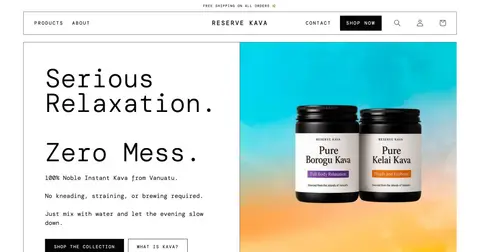
Among my published projects there is none where I set up try before you buy, and I do not invent one. Closest are the subscription and bundle options I built at Reserve Kava. They follow different rules than TBYB.
Before you start: a checklist
- Do you use Shopify Payments, Adyen or Stripe, or do your customers need PayPal, Klarna or Apple Pay?
- Is your checkout customized? Then TBYB is not possible according to the help.
- Which TBYB app fits, and is the setup there finished?
- How long is the trial period and when exactly is the charge? Is that clearly visible at purchase?
- Do you need pickup or local delivery? Neither is possible for TBYB.
- Who checks unpaid orders and when?
- What is the process for returns, refunds, cancellations, in the app as well?
- Are legal questions (withdrawal, mandatory information) clarified with a lawyer?
When a developer helps
You set up the purchase option itself with an app. Help is worthwhile when the checkout is customized and still has to work with TBYB, when texts about the trial period should show up cleanly in the theme, on the product page or in emails, when orders are reconciled with your warehouse or accounting, or when several purchase options run side by side in the store. Related: Customizing a Shopify theme and Customizing Shopify email notifications. After that the setup belongs in the ongoing upkeep, see Shopify maintenance.
Frequently asked questions
Do I need an app? Yes. According to the help, setup runs through a TBYB app from the App Store.
Can I offer PayPal or Klarna? The pages I read name Shopify Payments, Adyen on Shopify and Stripe. Local payment methods such as Klarna are excluded for TBYB. PayPal is not mentioned there.
Does TBYB work with Shop Pay or Apple Pay? No, accelerated checkouts are not possible according to the help.
Can I charge earlier? Yes, by invoice or stored card. The help advises announcing it clearly first, otherwise a chargeback is possible.
Can I cancel a fulfilled order? No, but you can issue full or partial refunds.
What does the setup cost? That depends on the scope. I do not name amounts here.
What about your store?
Send me your store’s address for the free store check. I look at what is visible from the outside, such as load time, apps in the source code and how pages are built, and tell you what stands out. I only work with publicly visible data, without access to your account. What else I do for stores is under Services.
Further reading: Setting up pre-orders in Shopify · Setting up Shopify subscriptions · Shopify payment methods in Germany
Kiril Karatitsyn, Shopify developer in Germany