








Building a storeOctober 22, 20268 min read
Shopify Markets: selling to several countries without running several stores
Your store sells well in Germany, and suddenly orders arrive from Austria or Switzerland. Or you want to sell to more countries on purpose. Then the question is whether you need a second store. Usually you don’t. Shopify has a feature for this called Markets: one store, several markets, each with its own currency, language and address.
This text explains for merchants without a technical background what a market is, which requirements to settle first and what matters for Google.
A note first
All statements about features and conditions come from the Shopify Help Center, as of October 2026. Shopify changes plans and features from time to time, so check important points in your own account before you decide. I deliberately do not quote plan prices here.
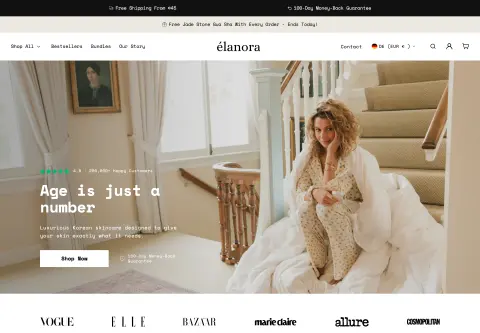
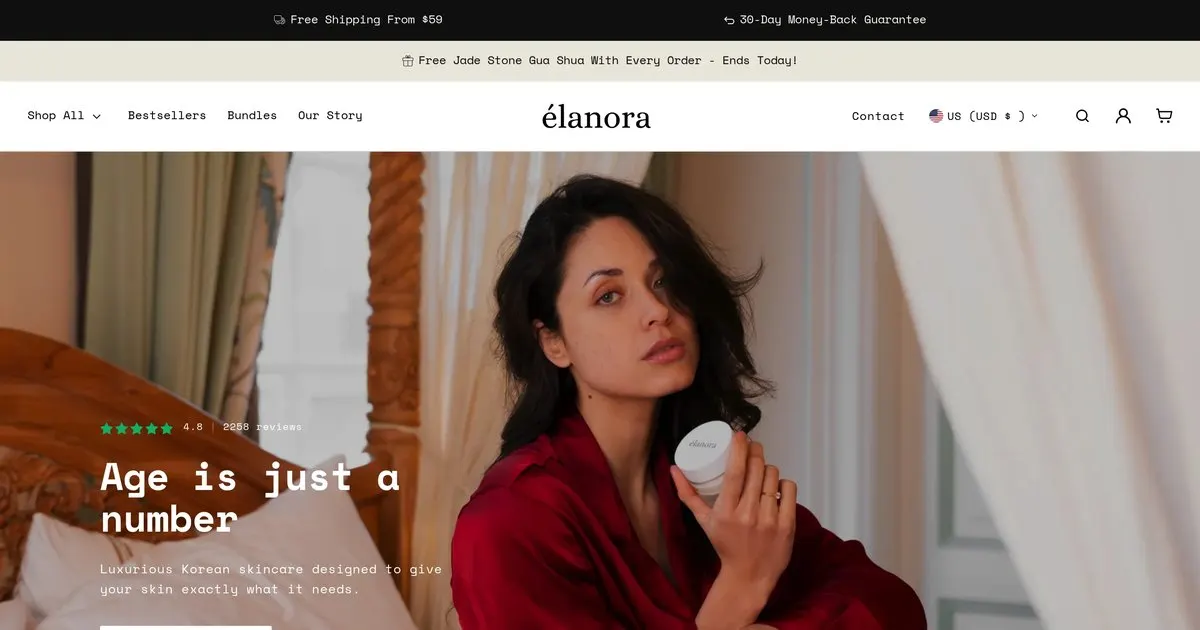
What I can add from my own work is limited. Since the end of 2025 I have worked with a brand that sells in fifteen markets and two languages (Elanora Skin). That work was about offers, gift logic in the cart and discount labels that fit the market and the language. I do not present the setup of the markets themselves, meaning domains, currencies and taxes, as a case of my own. Where I give a recommendation in the text, it says so.
What a market is
A market defines how customers experience your store depending on where they are. According to the Help Center you can set per market, among other things:
- the currency,
- which products are available,
- content in the theme,
- domain and language,
- taxes and shipping options, where available.
There are markets for single countries or regions, and also for retail locations, for B2B customers and for sales channels. When several types overlap, the more specific one wins. The number of country markets is not limited. Discounts and gift cards work across markets.
For customers who match no active market there is a “backup region”. According to the Help Center, though, only customers in countries of an active market can check out, and markets can only be activated for countries where you have set up shipping rates.
What to settle first
This is where most surprises happen. According to the Help Center:
- Paying in several currencies needs Shopify Payments or Adyen. Without one of them, all markets pay in the store’s default currency.
- Fixed-amount discounts can only be created in the default currency and are converted at checkout.
- Post-purchase offer apps only work in the default currency. Customers who order in a market with a different currency do not get such offers.
- Staff permissions cannot be assigned per market.
- One theme is published at a time. Per-market changes apply to that one theme.
- Plans: creating regional markets is free on all plans. Per-market theme customization starts at “Advanced” according to the Help Center. Currencies, domains, languages and taxes per market are available on all plans.
My recommendation: go through this list before you add a country. If you only find out after launch that your payment provider cannot handle a second currency, you build twice.
Prices and currencies
By default Shopify converts your prices automatically at the current market exchange rate. You can also set the rate by hand, and per country or region you can store price adjustments or fixed prices in catalogs. That helps when the price in one country should not just be “converted” but set on purpose.
Two details from the Help Center:
- Prices can be rounded per market so they do not end in odd amounts after conversion. According to the Help Center, rounding is only available with Shopify Payments.
- For customers to see the local currency at all, the store needs a country selector. Full functionality requires Shopify Payments with the one-page checkout, according to the Help Center.
Language and address: which URL structure?
This is the decision that is hardest to change later. Shopify names four ways:
- Primary domain only. Simple, but no country addresses and no benefit for search.
- Country domains (such as
.ator.ch). The strongest local signal, but each domain has to be registered and managed separately. Makes sense only with a clear strategy. - Subdomains (such as
at.your-shop.com). They need their own DNS records and, according to the Help Center, may build authority more slowly. - Subfolders (such as
your-shop.com/de-at). Shopify recommends them for most stores: they share the authority of the main domain and the effort is small.
Good to know: language-only folders like /en are possible only for the primary market. For other markets the folder needs language and country, following the pattern /fr-ca. For Austria that would accordingly be something like /de-at. A custom domain instead of myshopify.com is required. And if the primary domain changes, the subfolder addresses change too.
Google: hreflang, canonical addresses, sitemap
Here Shopify takes a lot of work off your hands, according to the Help Center. For markets with their own domain, subdomain or subfolder Shopify generates automatically:
- hreflang tags that tell Google which language version is meant for which country, with an
x-defaultfor the primary domain, - canonical addresses,
- a sitemap with all market-specific addresses.
Your tasks remain: set up the markets properly, translate content with the Translate & Adapt app (Shopify distinguishes translating from adapting), and submit the sitemap in Search Console. Do not turn off the automatic hreflang tags unless you maintain your own. Shopify warns that this can hurt the store’s SEO.
If you delete a market later, its subfolder addresses lead to 404 errors unless you redirect them. Redirects can be imported by CSV. How such a plan looks, I describe in Moving to Shopify and SEO: Set Up Redirects, Protect Your Rankings. And if your store is already hard to find on Google, fix that before you expand: Shopify store not found on Google: 7 causes and what you can check.
Redirecting by country
According to the Help Center, Shopify automatically redirects customers to the address that matches their language and location. Search engine crawlers are excluded. Within the EU, Shopify does not redirect automatically. The older “Geolocation” app can no longer be installed since February 1, 2025. If you want to link a market directly, an address of the form your-shop.com?country=DE works.
Import duties and taxes
If you sell to countries outside the EU, such as Switzerland, duties and import taxes can be charged on delivery. Shopify offers settings to collect an estimate at checkout so nobody is surprised at the door. The amount is set by customs based on classification, origin and destination. For the calculation Shopify needs, according to the Help Center, HS codes for your products. Which countries, checkout customizations and order types are supported is explained in the Shopify Help Center on duties. For tax questions, such as VAT in other EU countries, please ask your tax advisor. I give no advice on that here.
My recommended order
This is an assessment from practice, not a Shopify requirement:
- One additional country, not five at once. That shows you where it breaks.
- Settle payment and shipping first, then prices.
- Subfolders as URL structure, unless something concrete speaks for a country domain.
- Really adapt content, not just translate it: delivery times, returns, contact and messages in the cart.
- After launch, check in Search Console whether the new addresses get indexed.
Shipping per country is a topic of its own: Setting up Shopify shipping.
Frequently asked questions
Do I need a separate store for Austria or Switzerland? No, as a rule one store with several markets is enough.
Do I have to translate everything? For buyers in Austria German is enough, but you can adapt the texts to local habits. For further languages you translate with Translate & Adapt or a translation app. The cookie banner and privacy policy belong in every store language too; how that works is covered in Shopify cookie banner and privacy policy.
Can I set different prices per country? Yes, through catalogs with an adjustment or fixed prices. Check in the Shopify Help Center which features your plan includes.
What does it cost? According to Shopify, regional markets are free on all plans. What payment, apps and translation cost depends on your decisions. I do not quote amounts here.
Planning more countries?
Send me your store address for the free store check. I look at what is visible from the outside, such as how your addresses are built and what Google already knows. I only work with publicly visible data, without access to your account. What I do for stores you can find under Services. How I approach a project in general is in Having a Shopify store built: what the cost depends on and how to get a fixed-price quote. If you are weighing a freelancer against an agency, Shopify freelancer or agency: which one fits your store? helps.
Further reading: Shopify B2B: trade prices and Quick Order · Shopify payment methods in Germany · Free gift over a minimum order value in Shopify · Customizing the Shopify checkout · Creating invoices in Shopify · Discount code or automatic discount in Shopify · Setting up Shopify gift cards · Setting up taxes and VAT in Shopify
Kiril Karatitsyn, Shopify developer in Germany